REAL PROJECT · IN PRODUCTION

AI photoshoots and editing

AI Photo Studio

A commercial AI photoshoot service covering style and package selection, source uploads, payment, fulfilment and result delivery.

Open live project ↗foto.finansteh.ru
foto.finansteh.ru
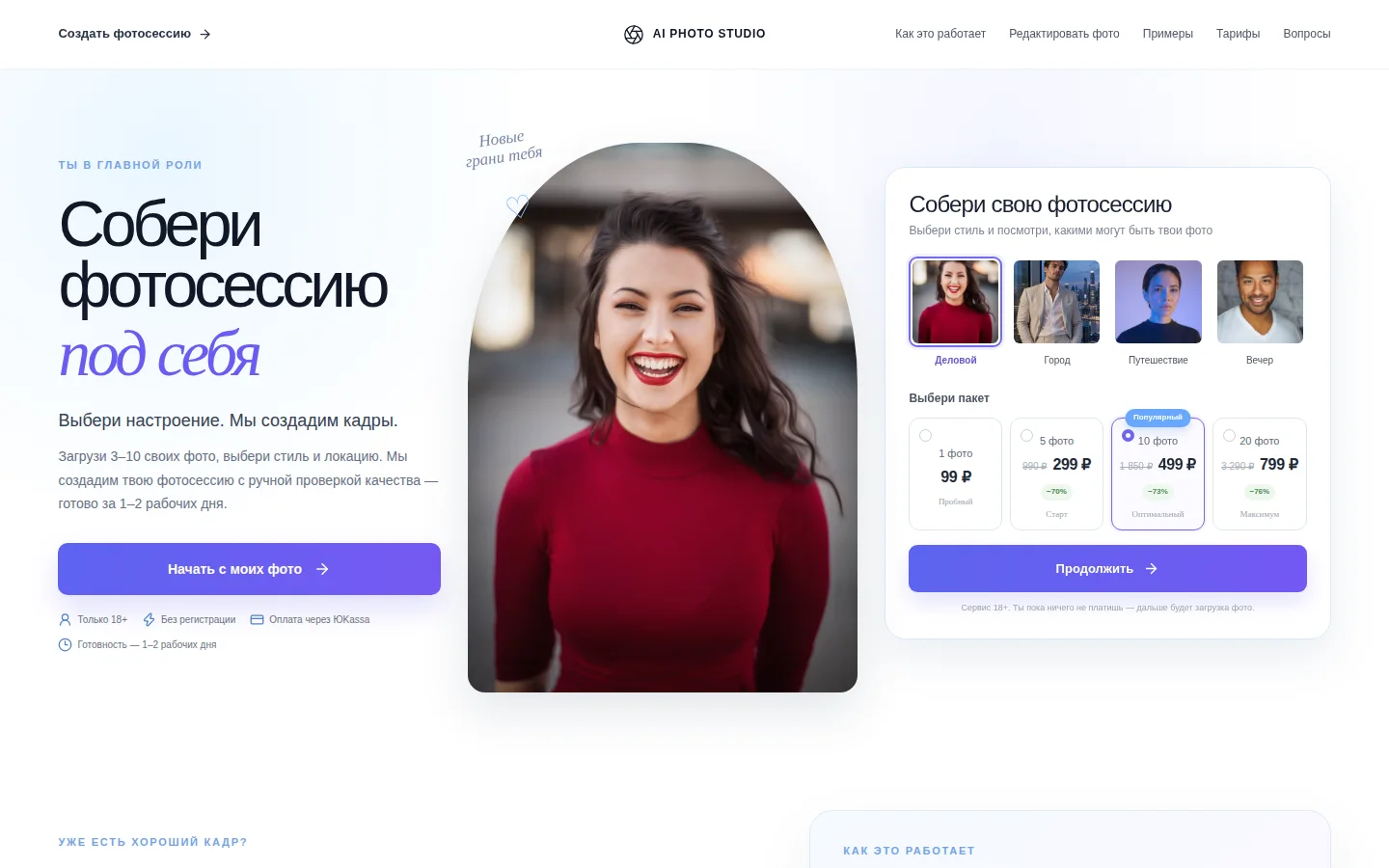
AI Photo Studio home page

PRODUCT OVERVIEW

What the service is and why it exists

AI Photo Studio packages image generation as a productised service. On the first screen, a visitor can preview result directions, switch style, choose the size of the shoot and understand price before uploading any files.

TASK

Make a technically complex AI process feel like a normal online purchase. Users should not need to understand models or prompts — only choose the desired outcome, upload source photos and receive a finished set.

SOLUTION

We built the full customer path: interactive style and package selection, source-image upload, a separate existing-photo editing flow, YooKassa payment, order notification and controlled result delivery.

WHAT WAS IMPLEMENTED

The product in detail

Core product capabilities that are already built into the working service.

01

Visual style selection

The first screen lets users switch between photoshoot directions and immediately understand the target result.

02

Packages and clear pricing

Photo count, price and the recommended option are visible before the upload step.

03

Source-photo upload

The service guides the user through providing enough source images for a more consistent output.

04

Existing-photo editing

A separate flow supports improving or changing an already existing image.

05

YooKassa payment

Payment is embedded in the ordering journey without requiring manual confirmation in chat.

06

Order and notifications

A structured order is created after payment and the team receives a notification for fulfilment.

07

Manual quality review

Human review is included before delivery so obviously poor generations are not sent to the customer.

08

Result delivery

Finished assets are attached to the order and delivered after processing is complete.

USER FLOW

From the first action to the result

  1. 01

    The user chooses a photoshoot style.

  2. 02

    A package is selected by final image count and price.

  3. 03

    Source images are uploaded with guidance from the service.

  4. 04

    The order continues to YooKassa payment.

  5. 05

    The paid order is stored and the team is notified.

  6. 06

    AI processing is followed by internal quality review.

  7. 07

    Finished images are delivered as the result of the paid order.

INTEGRATIONS & AUTOMATION

Connected to the surrounding business process

  • YooKassa for online order payment.
  • Storage for source images and finished assets.
  • Telegram notifications for new-order handling.
  • Internal order states and result-delivery workflow.

ENGINEERING

Built for production, not only for a demo

  • A step-by-step interface that hides the technical complexity of AI generation.
  • Safe file-upload handling and explicit order states.
  • Payment, fulfilment status and delivery connected in one customer journey.
  • Responsive storefront designed for both mobile and desktop use.

RESULT

A working product with room to grow

The service provides a complete commercial journey: the visitor understands the offer and price, purchases without a manager, and the team receives a structured order for processing and delivery.

Web storefrontFile uploadsYooKassaOrder workflowTelegram notificationsAI processingQuality reviewResponsive UI

Need a product with a similar level of care?

Tell us about the goal. We can start with a landing page, a first product release or focused automation.

Discuss a project ↗

AVEXIUM chat

AI replies instantly · operator on request

AI
AVEXIUM AI
Hello! Tell me what you want to build and I’ll help you get oriented. Use “Transfer to operator” whenever you want a person.

After transfer, new messages go to the operator in Telegram. Replies will appear here.